
Set Up a Java Dev Environment for Voice Calls
This guide shows how to set up a development environment in five minutes to trigger API requests and start serving VTS XML to control your call flow. It also shows how to test your code using tunneling software to expose the local dev server to the public internet.
Install Java, Spring, and the VTS Java SDK
To get started, install Java 1.8 or higher and VTS’s Java SDK. You probably already have Java installed. In macOS, Linux, or Windows you can check the version by running the command java -version in a terminal window. If you need to update it, download and install it. You should also download and install IntelliJ IDEA.
Install Spring and the VTS Java SDK using IntelliJ Idea
-
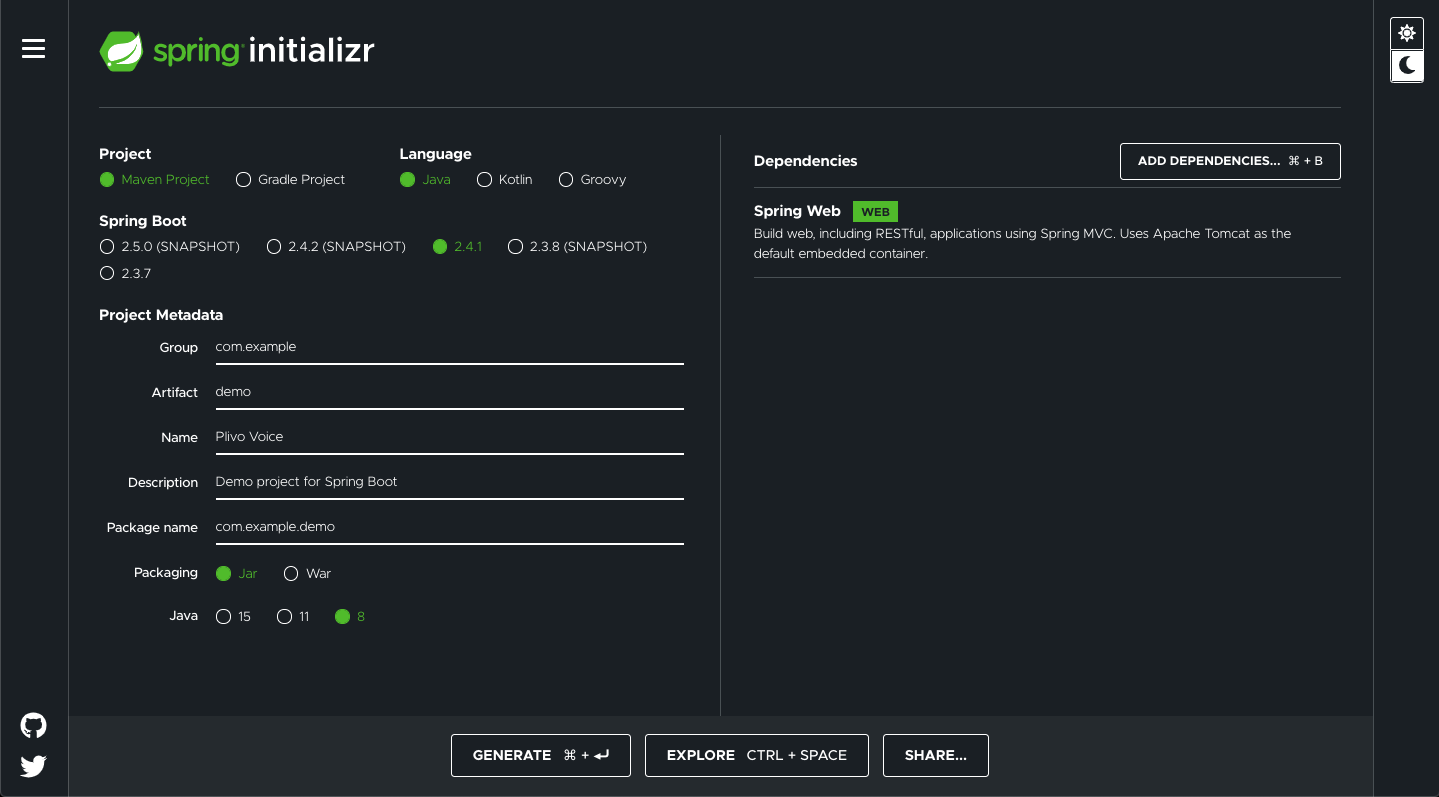
Use Spring Initializr to create a boilerplate project with Spring Boot framework.
-
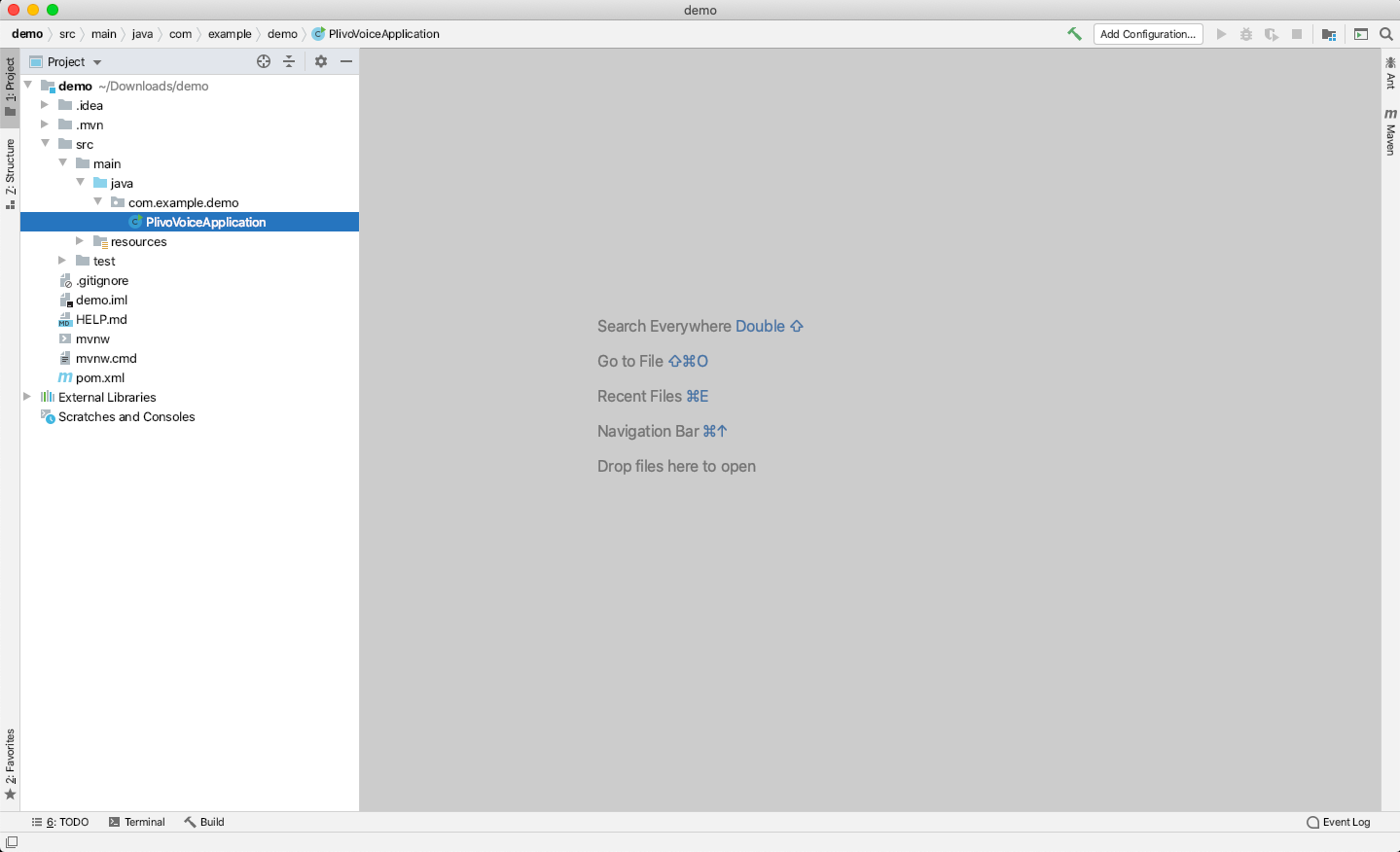
Add the Spring Web dependency. Give the project a friendly name — we called ours “VTS Voice“ — set the Java target as 8, then click Generate to download the boilerplate code and open it in IntelliJ Idea.
-
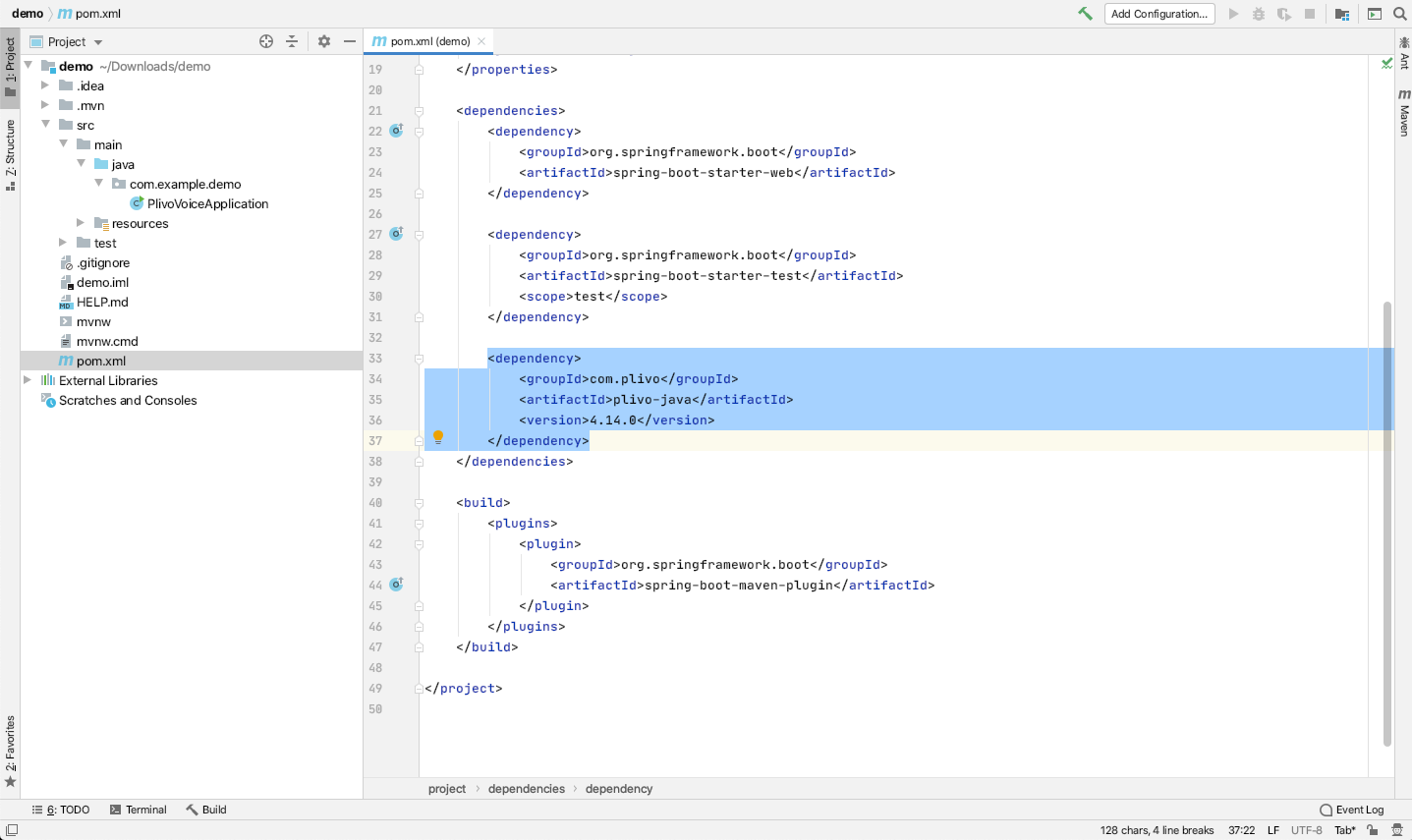
Install the VTS Java package by adding the dependency in
pom.xml<dependency> <groupId>net.vtscom</groupId> <artifactId>vts-java</artifactId> <version>5.9.3</version> </dependency>
Trigger an API request
Now, edit the VTSVoiceApplication.java file in the src/main/java/com.example.demo/ folder and paste into it this code.
1
2
3
4
5
6
7
8
9
10
11
12
13
14
15
16
17
18
19
20
21
22
23
24
25
26
27
28
29
30
31
32
33
34
35
package com.example.demo;
import net.vtscom.api.VTS;
import net.vtscom.api.exceptions.VTSRestException;
import net.vtscom.api.models.call.Call;
import net.vtscom.api.models.call.CallCreateResponse;
import org.springframework.boot.SpringApplication;
import org.springframework.boot.autoconfigure.SpringBootApplication;
import org.springframework.web.bind.annotation.GetMapping;
import org.springframework.web.bind.annotation.RestController;
import net.vtscom.api.exceptions.VTSXmlException;
import java.io.IOException;
import java.util.Collections;

@SpringBootApplication
@RestController
public class VTSVoiceApplication {


	public static void main(String[] args) {
		SpringApplication.run(VTSVoiceApplication.class, args);
	}

	@GetMapping(value="/outbound", produces={"application/json"})
	public CallCreateResponse makeCall() throws VTSXmlException, IOException, VTSRestException {
		VTS.init("<auth_id>","<auth_token>");
		CallCreateResponse response = Call.creator("<Caller_ID>",
				Collections.singletonList("<Destination_Number>"),
				"http://s3.amazonaws.com/static.vtscom.net/answer.xml")
				.answerMethod("GET")
				.create();
		System.out.println(response);
		return response;
	}

}
- Replace the placeholders <auth_id> and <auth_token> with your authentication credentials, which you can find on the overview page of the VTS console.
- We recommend that you store your credentials in the auth_id and auth_token environment variables to avoid the possibility of accidentally committing them to source control. If you do this, you can initialize the client with no arguments and it will automatically fetch the values from the environment variables.
- You can use System.getenv() to store and retrieve environment variables while initializing the client.
- Replace the placeholder <Caller_ID> with a phone number you’ve purchased, and <Destination_Number> with the phone number you’ll be calling. Both phone numbers should be in E.164 format.
- <Destination_Number> can also be a SIP endpoint. If you’re calling a SIP endpoint, the <Destination_Number> placeholder should be a valid SIP URI. Example: sip:john1234@phone.vtscom.net
Save the file and run it.
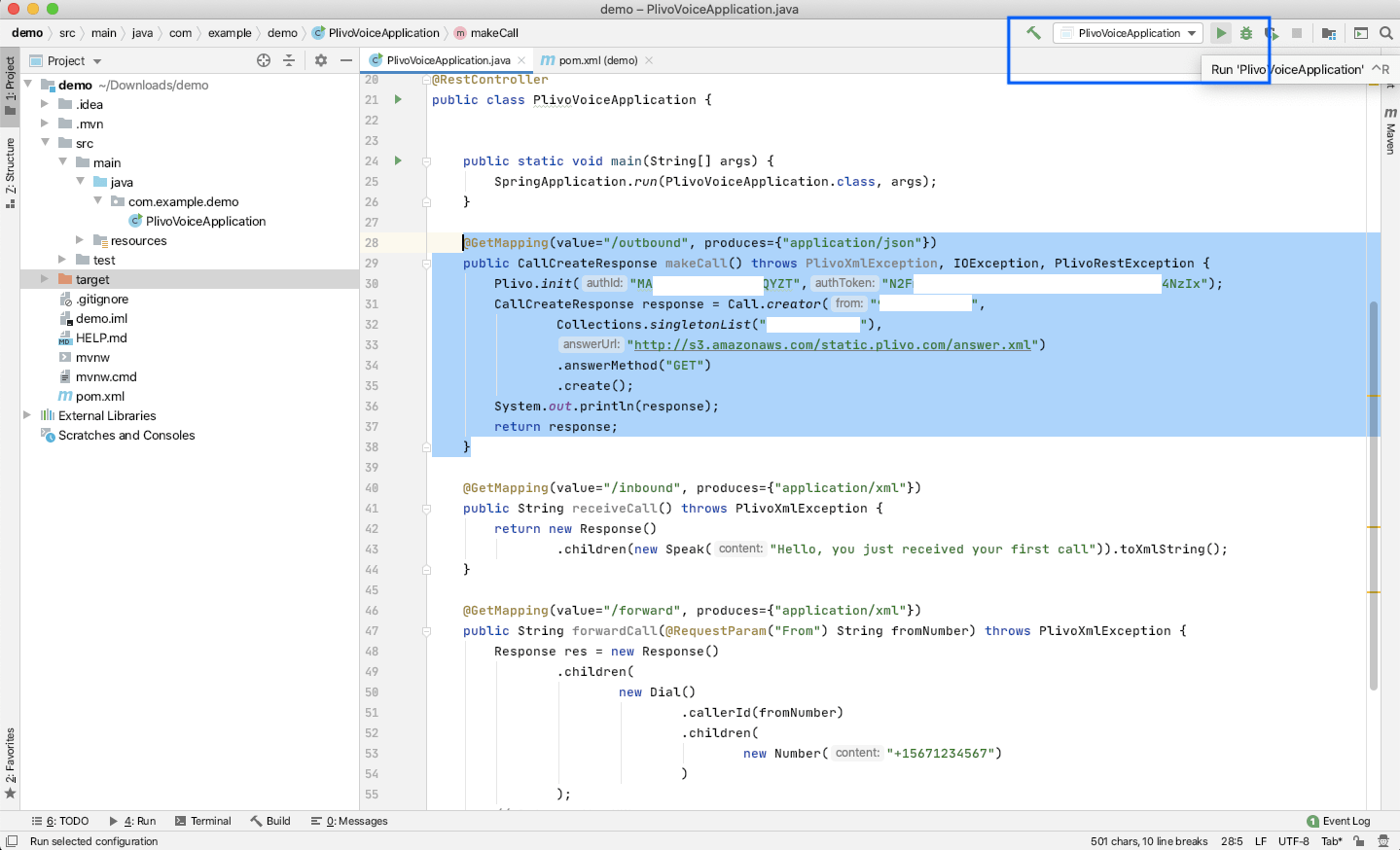
You can see your server app in action on http://127.0.0.1:8080/outbound/.
You can follow the same approach to trigger other API requests. Refer to our detailed API reference to see all the API requests available on the Voice API platform.
Serve an XML document and manage callbacks
When you receive a call on a VTS voice-enabled number, you can control the call flow by declaring an Answer URL for the VTS application associated with that phone number. VTS will invoke the Answer URL specified and expect a valid XML response to handle the call.
In addition to requests to the Answer URL, VTS initiates other HTTP requests to your application server based on specific XML elements in your Answer XML document. Such requests are broadly classified into two categories:
Action URL requests: These requests are typically invoked at the end of an XML element’s execution, and the server expects XML instructions to carry forward the call in response to these requests. This happens, for example, when a caller provides Touch-Tone input during GetInput XML execution.
Callback URL requests: These requests serve as webhooks to pass the application server information about events through the course of an XML element’s execution, such as when a conference participant is muted or unmuted. No XML instructions are expected in response to these requests.
Set up a Spring web application to serve XML and manage callbacks
Edit the VTSVoiceApplication.java file in the src/main/java/com.example.demo/ folder and paste this code into it after the makeCall function block.
1
2
3
4
5
6
7
8
9
10
11
12
13
14
15
16
17
18
19
20
21
22
23
24
25
26
27
28
29
30
31
32
33
34
35
36
37
38
package com.example.demo;
import net.vtscom.api.VTS;
import net.vtscom.api.exceptions.VTSRestException;
import net.vtscom.api.models.call.Call;
import net.vtscom.api.models.call.CallCreateResponse;
import org.springframework.boot.SpringApplication;
import org.springframework.boot.autoconfigure.SpringBootApplication;
import org.springframework.web.bind.annotation.GetMapping;
import org.springframework.web.bind.annotation.RequestParam;
import org.springframework.web.bind.annotation.RestController;
import net.vtscom.api.exceptions.VTSXmlException;
import net.vtscom.api.xml.Response;
import net.vtscom.api.xml.Speak;
import java.io.IOException;
import java.util.Collections;

@SpringBootApplication
@RestController
public class VTSVoiceApplication {


	public static void main(String[] args) {
		SpringApplication.run(VTSVoiceApplication.class, args);
	}

	@GetMapping(value="/outbound", produces={"application/json"})
	public CallCreateResponse makeCall() throws VTSXmlException, IOException, VTSRestException {
		........;
	    ........;
	}

	@GetMapping(value="/inbound", produces={"application/xml"})
	public String receiveCall() throws VTSXmlException {
		return new Response()
				.children(new Speak("Hello, you just received your first call")).toXmlString();
	}

}
Also update the import declaration section.
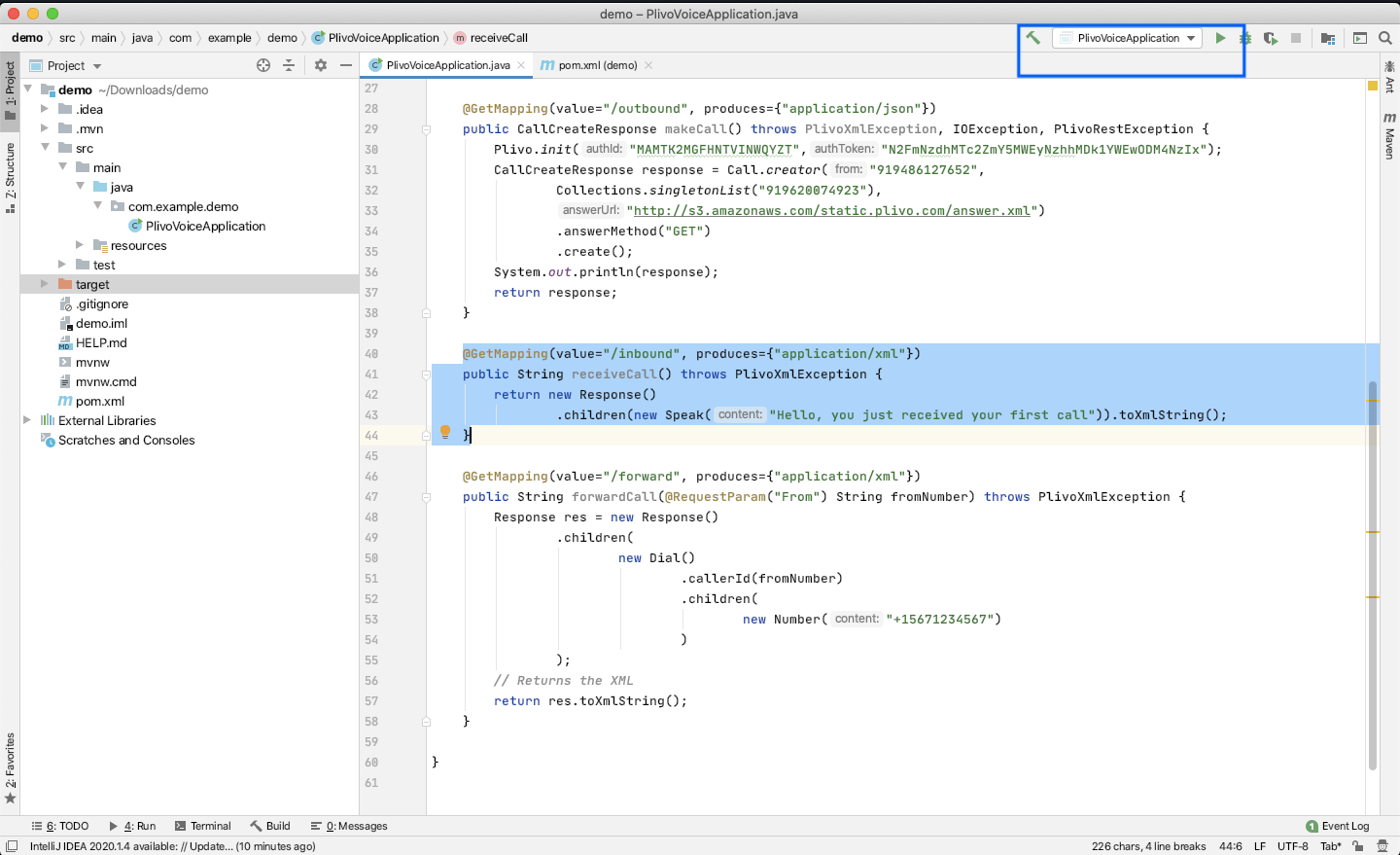
Run the project and you should see your basic server application in action on http://localhost:8080/inbound/.
Ngrok setup
To serve XML documents, your local server must connect with VTS API services. For that, we recommend using ngrok, which exposes local servers running behind NATs and firewalls to the public internet over secure tunnels. Using ngrok, you can set webhooks that can talk to the VTS server.
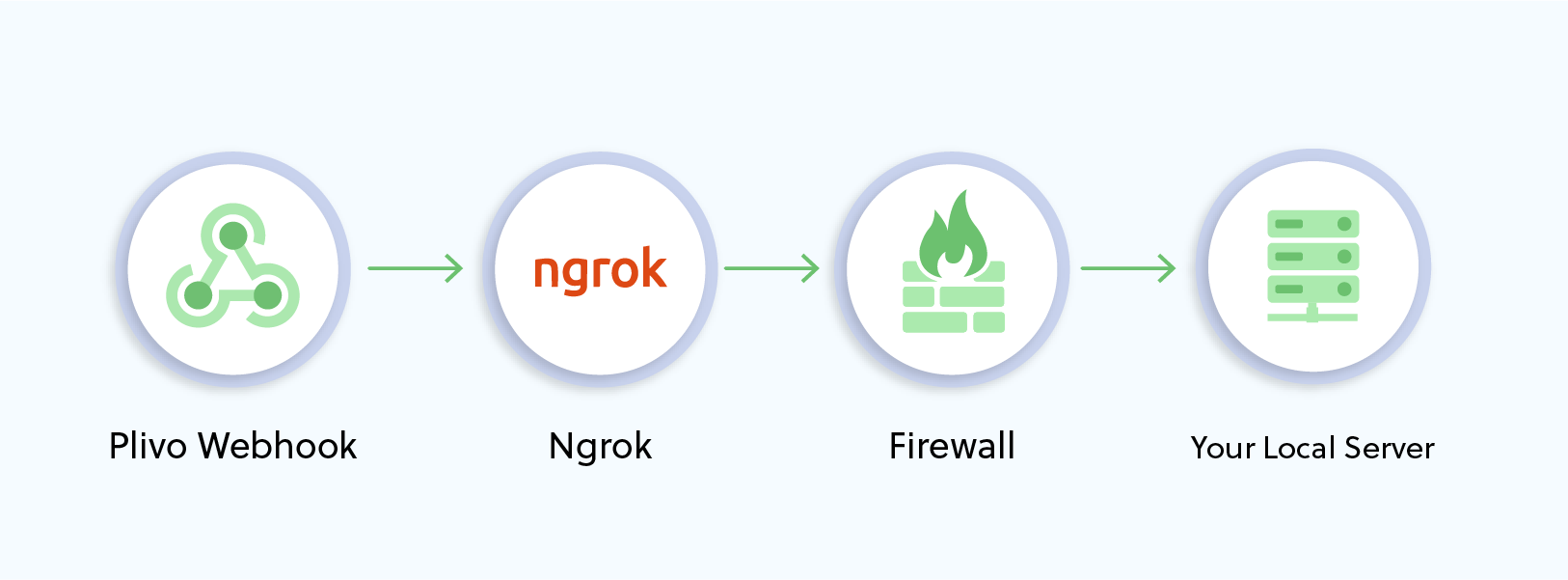
Install ngrok and run it on the command line, specifying the port that hosts the application on which you want to receive messages (8080 in this case):
./ngrok http 8080
This will start the ngrok server on your local server.
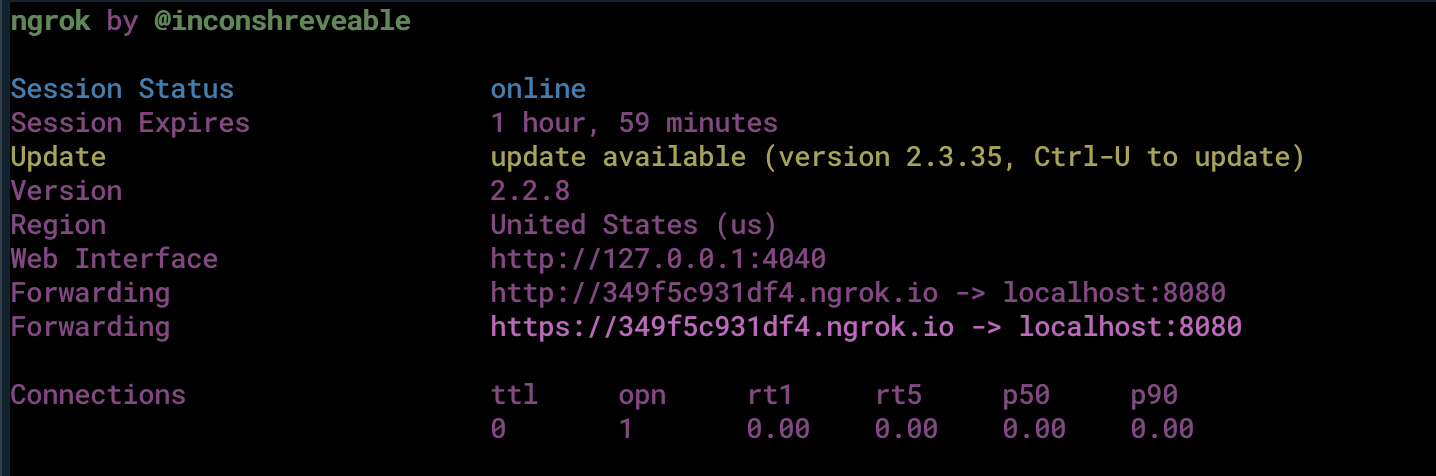
Ngrok will display a forwarding link that you can use as a webhook to access your local server over the public network. You should be able to see your basic server application in action at https://<nrgok_URL>/receive_call/.
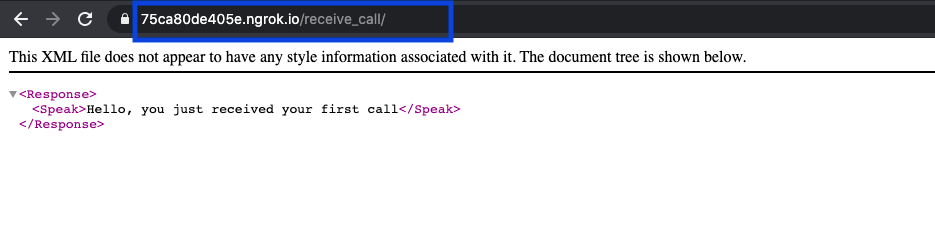
You can follow the same approach to serve other XML documents to manage call flows. Refer to our detailed XML reference to see all the XML elements available on the Voice API platform.